LinkedIn Optimization 2026: How to Get Noticed by Recruiters Fast
Your LinkedIn profile is probably costing you job opportunities. Here’s how to fix it.
Here’s a question: when was the last time you actually looked at your LinkedIn profile? That’s why you need LinkedIn Optimization.
If the answer is “when I created it” or “that one time I needed a job,” you’re leaving opportunities on the table. Because here’s what’s happening while you’re not paying attention:
- Recruiters are searching for candidates with your skills
- Your name comes up in search results
- They click on your profile, see it’s outdated or empty, and move on
You never even know it happened.
LinkedIn isn’t just a digital resume anymore. It’s where recruiters hunt for candidates, where hiring managers check you out before interviews, and where opportunities find you—if you know how to set it up right.
Why LinkedIn Actually Matters (Even If You’re Not Job Hunting)
Let’s be real: LinkedIn can feel like a weird mix of Facebook bragging and corporate buzzword bingo. But here’s why it’s worth your time:
Recruiters live on LinkedIn. Most use it as their primary sourcing tool. If you’re not there (or your profile sucks), you’re invisible.
It’s your professional Google result. When someone searches your name, your LinkedIn profile usually shows up first. Make it count.
Opportunities find you. A good profile means recruiters reach out to YOU, even when you’re not looking.
It’s networking without the awkward small talk. You can connect with people, follow companies, and stay visible without going to events.
This LinkedIn Optimization guide will definitely help you.
Profile Photo: First Impressions Matter
In LinkedIn Optimization, the first thing that we recommend you to do is uploading a profile pictue. Profiles with photos get 21 times more views than those without. So yes, you need one.
What makes a good LinkedIn photo:
- Professional, but not stiff (you’re not on trial)
- Recent (not your college graduation photo)
- Just you (no group shots, no sunglasses, no pets)
- Clear face, good lighting, neutral background
- Dressed how you’d dress for work (or slightly better)
You don’t need a professional headshot. Just have someone take a decent photo of you with a phone camera. Natural light, plain background, done.
Headline: Your 120-Character Sales Pitch
In LinkedIn Optimization, this is the second crucial step. This is the line right under your name. It shows up in search results and is basically your elevator pitch.
Most people waste it with something like “Marketing Manager at XYZ Company.” Boring. That’s already visible elsewhere.
Instead, use it to show:
- What you do
- Who you help
- Your key skills or value
Weak headlines:
“Marketing Manager at Tech Startup”
“Experienced Professional | Open to Opportunities”
Strong headlines:
“Helping SaaS companies grow through content marketing | SEO + Social Media Strategy”
“Software Engineer | Python, React, AWS | Building scalable solutions for fintech”
“Product Manager who ships features users actually want | B2B SaaS | Ex-Google”
Notice the pattern? They’re specific, they include keywords recruiters search for, and they tell you what this person actually does.
There are also some tools that help in LinkedIn Optimization.
About Section: Tell Your Story
This is your chance to be human. You’ve got 2,600 characters to explain who you are, what you do, and why someone should care.
What to Include:
Hook them in the first line. Most people only see the first 2-3 lines before clicking “see more.” Make them count.
What you do and who you help. Be specific about your expertise and the problems you solve.
Your background and experience. Hit the highlights without copying your whole resume.
What makes you different. Why should someone hire you instead of the 50 other people with similar experience?
A call to action. Tell people how to reach you or what you’re looking for.
Example framework:
“I help tech startups grow their user base through data-driven marketing strategies. [what you do] Over the past 7 years, I’ve led marketing campaigns that generated $5M+ in revenue and grew audiences from zero to 500K+. My specialty is turning complex data into clear strategies that actually work. [experience + results] I’m especially passionate about early-stage companies where scrappy creativity matters more than big budgets. Previously at Google and two successful startups. [what makes you different] Looking to connect with founders and marketers in the SaaS space. Hit me up if you want to talk growth strategies or just need marketing advice. [call to action]”
Pro Tips:
- Write in first person (“I” not “he/she”)
- Break it into short paragraphs for readability
- Include keywords recruiters might search for
- Sound like yourself, not a corporate press release
Experience Section: More Than Just Job Titles
This is similar to your resume, but you’ve got more space to work with. Use it.
For Each Role:
- Job title, company, dates (standard stuff)
- A brief description of what the company does (if it’s not obvious)
- 3-5 bullet points about what you accomplished (not just responsibilities)
- Numbers, metrics, results wherever possible
Example:
Marketing Manager | GrowthCo (B2B SaaS platform for sales teams) • Led content marketing strategy that increased organic traffic from 10K to 150K monthly visitors in 18 months • Built email nurture campaigns that improved trial-to-paid conversion by 35% • Managed $200K annual marketing budget across content, paid ads, and events • Grew newsletter from 2K to 45K subscribers with 42% average open rate
Remember: LinkedIn lets you add media to each role. Got a project you’re proud of? A presentation? An article? Add it. It makes your profile way more interesting.
Skills: How Recruiters Actually Find You
In LinkedIn Optimization, Here’s the secret most people don’t know: LinkedIn’s search algorithm heavily weights skills. When recruiters search for candidates, they search by skills. If you don’t list the right ones, you won’t show up.
How to Optimize:
- Add up to 50 skills (seriously, use all 50 spots)
- Put your most important skills first (top 3 are featured)
- Use the exact terms recruiters search for (check job postings)
- Get endorsements (ask colleagues to endorse your top skills)
- Mix hard skills and soft skills
Examples by field:
Marketing: SEO, Content Marketing, Google Analytics, Social Media Marketing, Email Marketing, Marketing Strategy, SEM, Adobe Creative Suite, Copywriting, A/B Testing
Software Engineering: Python, JavaScript, React, Node.js, AWS, Docker, SQL, Git, REST APIs, Agile, System Design
Project Management: Project Management, Agile, Scrum, Stakeholder Management, Risk Management, Budgeting, JIRA, Leadership, Cross-functional Team Leadership
Recommendations: Social Proof That Actually Works
Recommendations are basically references that are publicly visible. They’re incredibly valuable, but most people don’t have any because they never ask.
How to Get Them:
- Ask former managers or colleagues you worked closely with
- Offer to write one for them first (most people reciprocate)
- Be specific about what you want them to highlight
- Aim for 3-5 recommendations minimum
Pro tip: Time this when you’re leaving a job or wrapping up a successful project. People are more motivated to write recommendations when your work is fresh in their minds.
Custom URL: The Small Detail That Matters
Another important thing that most of the people ignore in LinkedIn Optimizationis that, By default, LinkedIn gives you a URL like: linkedin.com/in/sarah-johnson-8a4b2c1d9
Customize it to: linkedin.com/in/sarahjohnson
Why? It looks more professional, it’s easier to remember, and it’s better for SEO when people Google your name.
It takes 30 seconds. Go to Settings > Edit public profile & URL > Edit your custom URL.
Activity: Don’t Just Exist, Participate
In LinkedIn Optimization, A complete profile is great, but LinkedIn rewards activity. The more you engage, the more visible you become.
What counts as activity:
- Posting updates about your work or industry
- Commenting on other people’s posts (adds value, not just “Great post!”)
- Sharing articles with your take on them
- Celebrating wins or milestones
You don’t need to post every day. Even once a week helps. And please, don’t post the cringey motivational quotes. Post things that show your expertise or personality.
Examples of good posts:
- Lessons learned from a recent project
- Industry insights or trends you’re noticing
- Asking for advice or starting a discussion
- Sharing a resource you found helpful
Settings That Make a Difference
Turn on “Open to Work”
If you’re actively job hunting, turn this on. It signals to recruiters that you’re looking and makes you show up in their searches more often. You can keep it private (only recruiters see it) or public (everyone sees it).
Make Your Profile Public
Go to Settings > Visibility > Edit your public profile. Make sure everything is visible. If your profile is private, recruiters can’t find you.
Turn Off Activity Broadcasts (Sometimes)
If you’re making a bunch of profile updates, temporarily turn off “Share profile changes with network.” Nobody needs 10 notifications about your edits. Turn it back on when you’re done.
Common LinkedIn Mistakes
In LinkedIn Optimization, You should keep in mind these common mistakes that people make:
1. Treating It Like Facebook
Nobody needs to see your vacation photos or political rants. Keep it professional. You can show personality without oversharing.
2. Never Updating It
If your last update was three years ago and you’re still listing a job you left, that’s a problem. Update it every few months at minimum.
3. Accepting Every Connection Request
Be strategic. Connect with people you know, people in your industry, and people who might be valuable to your network. Random spammers? Skip them.
4. Being Too Sales-y
If every post is “Check out my company!” or “We’re hiring!”, people will tune you out. Add value first, promote second.
5. No Profile Picture
Seriously, just add a photo. Profiles without photos look sketchy or abandoned.
Quick Optimization Checklist
- Professional profile photo (clear face, neutral background)
- Compelling headline with keywords
- Detailed About section (at least 3 paragraphs)
- All work experience filled out with achievements
- Education section complete
- At least 20 relevant skills listed
- Custom URL set up
- At least 3 recommendations
- Profile set to public
- Some recent activity (posts or comments in last 30 days)
The Bottom Line
Your LinkedIn profile is working for you 24/7—or it’s not. The difference comes down to whether you’ve actually invested time in making it good.
You don’t need to be a LinkedIn influencer posting motivational content every day. But you do need a complete, optimized profile that shows up when recruiters search for someone like you.
Block out an hour this week to update everything. Then check it once a month to keep it current. That’s it.
Because the next time a recruiter searches for someone with your skills, you want to show up—and when they click on your profile, you want them to be impressed enough to reach out.
Level Up Your Job Search
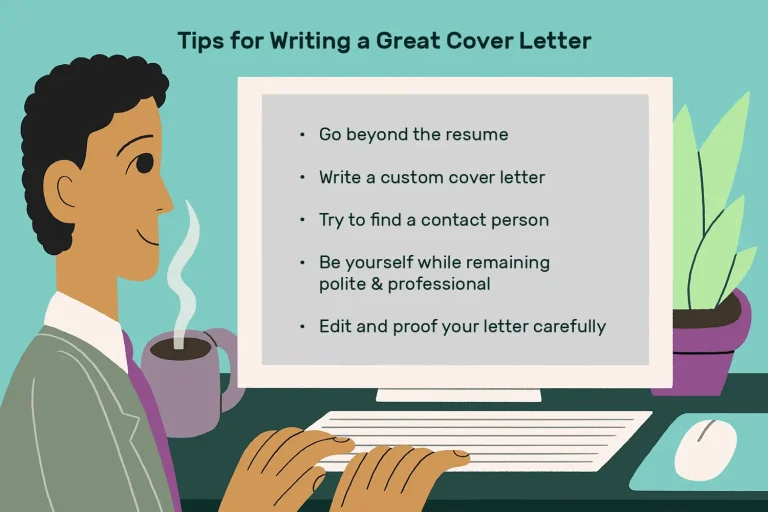
Check out our guides on writing resumes and cover letters that get results.
Discover more from eduhire.blog
Subscribe to get the latest posts sent to your email.