Resume Keywords for ATS: 7 Secrets to Get More Interviews Fast
Your resume is getting rejected by robots before humans even see it. Here’s how to fix that with the right resume keywords.
You’ve sent out 50 applications. You’re qualified. Your experience is solid. But you’re getting zero responses.
Here’s what’s probably happening: your resume is being rejected by an Applicant Tracking System (ATS) before any human even looks at it. And the reason? Missing resume keywords.
Over 75% of resumes never reach a human recruiter. They’re filtered out by ATS software that scans for specific keywords, skills, and qualifications. If your resume doesn’t have the right words, it doesn’t matter how good your experience is—you’re getting rejected.
This guide will show you exactly how to find and use resume keywords that get past ATS and land you interviews. No fluff, just what actually works.
What Are Resume Keywords?
Resume keywords are specific words and phrases that ATS software looks for when scanning your resume. They include:
- Job titles (Project Manager, Software Engineer, Marketing Coordinator)
- Technical skills (Python, Excel, Salesforce, Adobe Photoshop)
- Certifications (PMP, CPA, Google Analytics Certified)
- Action verbs (Managed, Developed, Increased, Led)
- Industry terms (Agile, SEO, Supply Chain, Budget Management)
- Soft skills (Leadership, Communication, Problem-Solving)
ATS scans your resume for these keywords and gives you a score. If you don’t hit enough of them, your resume gets automatically rejected. That’s why resume keywords matter more than fancy design or clever wording.
How ATS Actually Works
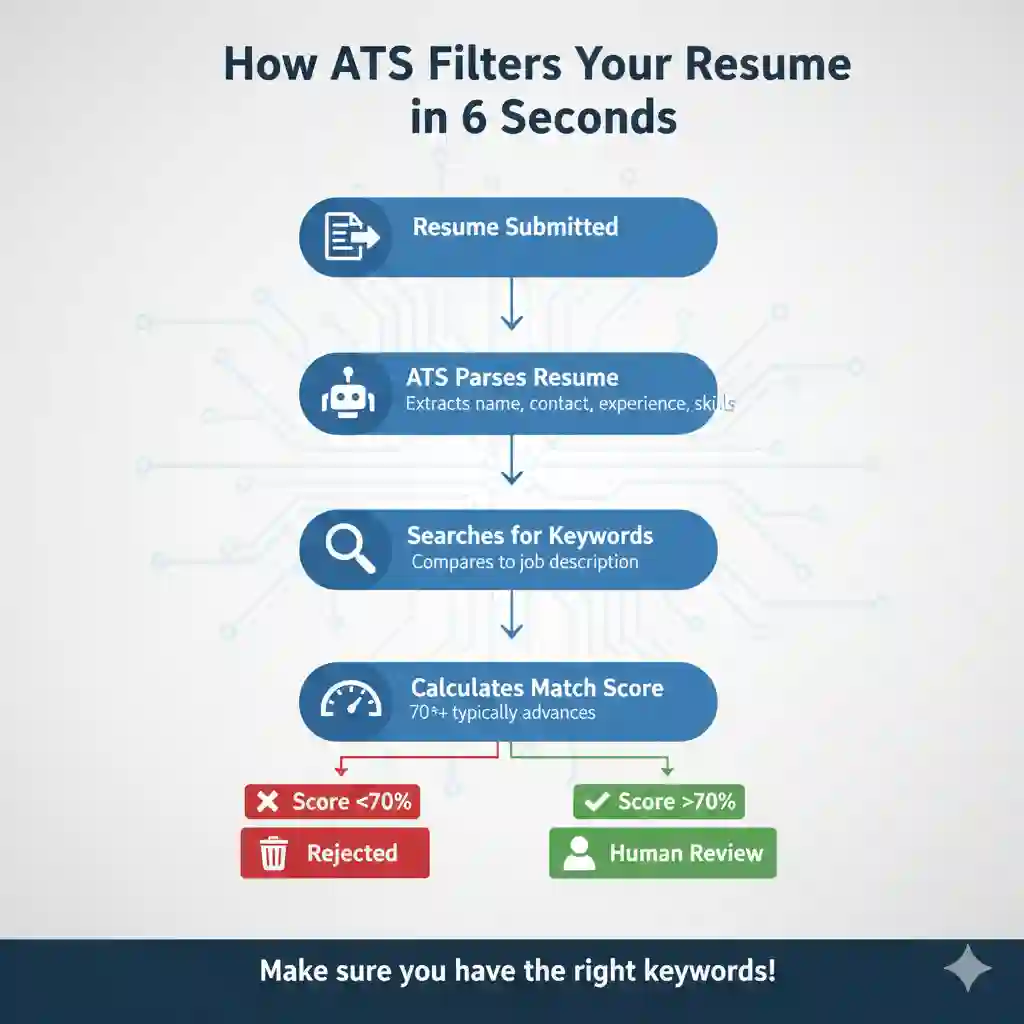
Here’s what happens when you submit your resume:
- ATS parses your resume – It extracts information like your name, contact info, work history, education, and skills.
- It searches for keywords – The software scans for specific words from the job description.
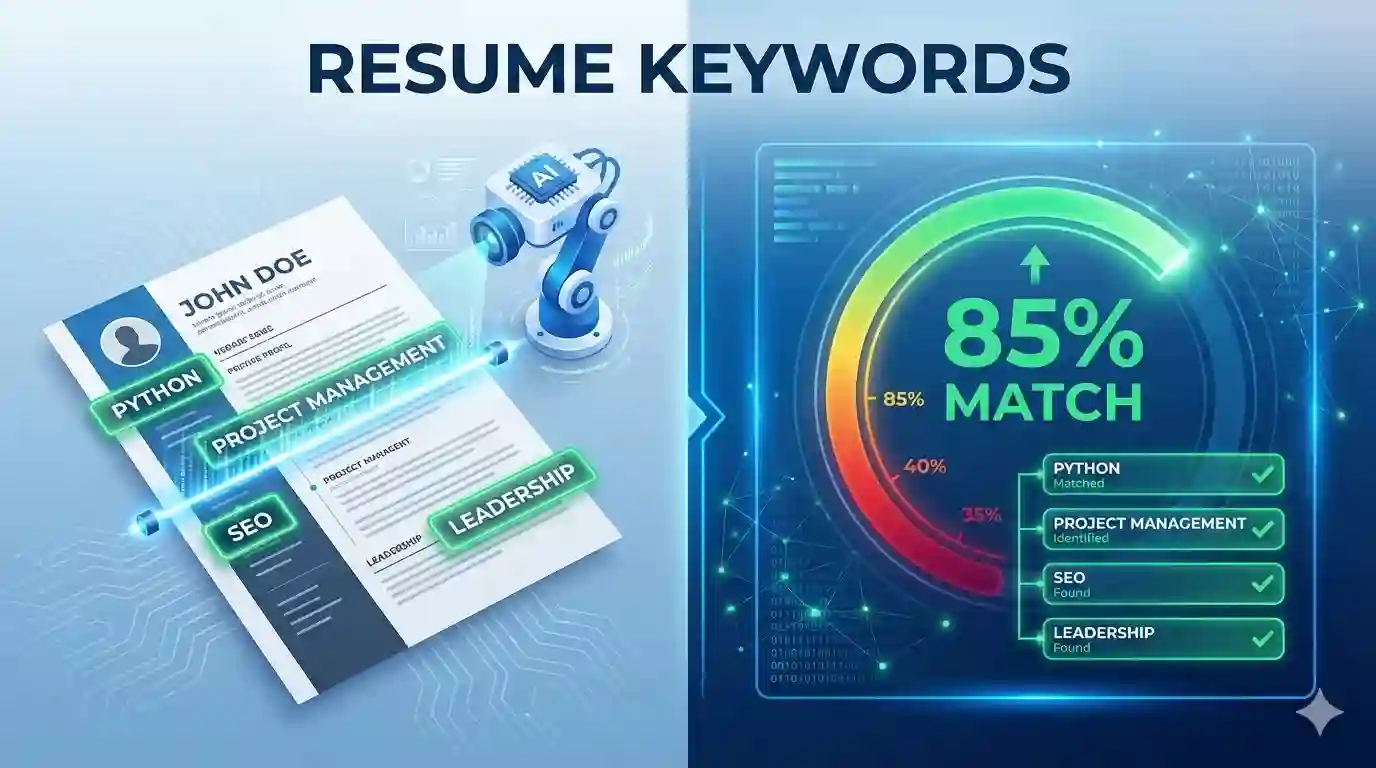
- You get a match score – The ATS gives you a percentage score based on how many keywords you have.
- Recruiters see only the top scores – Most recruiters only look at resumes with 70%+ match rates.
The problem: If you say “managed projects” but the job description says “project management,” some ATS systems won’t connect the dots. You need the exact resume keywords from the job posting.
This doesn’t mean you lie or keyword-stuff. It means you need to speak the same language as the job description—using their exact terms when you actually have that experience.
How to Find the Right Resume Keywords
Finding resume keywords isn’t complicated. Here’s exactly how to do it:
Step 1: Mine the Job Description
The job posting is your goldmine for resume keywords. Read it carefully and highlight:
- Required skills (usually in bullets)
- Software or tools mentioned
- Certifications they want
- Action words they use (managed, led, developed)
- Industry-specific terms or methodologies
Example job description excerpt:
“We’re seeking a Project Manager with 5+ years experience managing cross-functional teams. Must have PMP certification and experience with Agile methodology. Proficiency in JIRA and strong stakeholder management skills required.”
Keywords to extract:
- Project Manager
- Cross-functional teams
- PMP certification
- Agile methodology
- JIRA
- Stakeholder management
Step 2: Look at Multiple Job Postings
Find 5-10 similar job postings and note which resume keywords appear repeatedly. If “data analysis” shows up in 8 out of 10 postings, that’s a critical keyword for your field.
This also helps you understand industry-standard terminology. You might say “managed budgets” but the industry says “budget administration”—ATS will look for the latter.
Step 3: Use Keyword Research Tools
Free tools that help find resume keywords:
- Jobscan.co – Upload your resume and a job description; it shows your match rate and missing keywords
- Word cloud generators – Paste the job description and see which words appear most frequently
- LinkedIn job skills section – Look at similar job postings and see which skills are listed
Where to Place Resume Keywords on Your Resume
Location matters. Here’s where ATS looks for resume keywords:
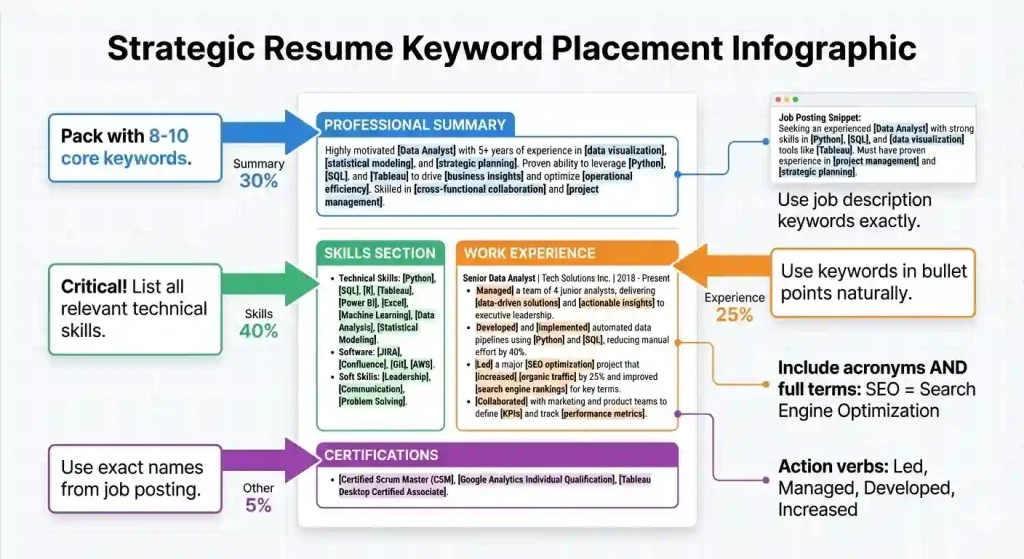
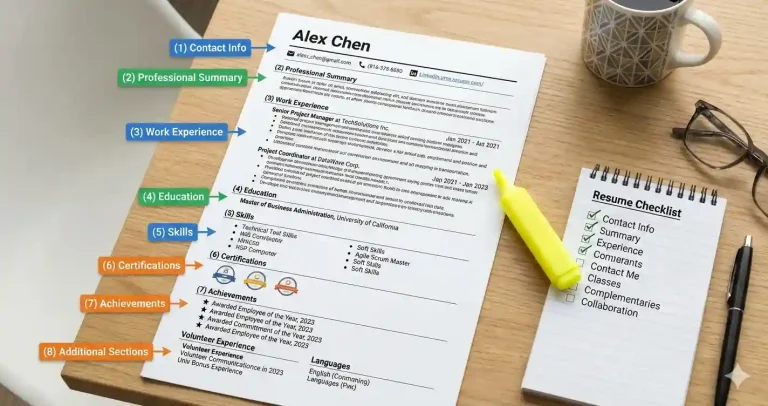
1. Professional Summary (Top Priority)
Your summary is prime real estate for resume keywords. Pack it with relevant skills and experience.
Weak example:
“Experienced marketing professional seeking new opportunities.”
Strong example with keywords:
“Digital Marketing Manager with 5+ years experience in SEO, Google Analytics, and content marketing. Proven track record managing social media campaigns, email marketing, and marketing automation using HubSpot and Salesforce.”
2. Skills Section (Critical)
This is where ATS looks hardest for keywords. List relevant skills exactly as they appear in the job description.
Example Skills Section:
Technical Skills: Python, SQL, Tableau, Excel, R, Machine Learning, Data Visualization, Statistical Analysis Tools: Jupyter Notebook, Git, AWS, Google Analytics, SPSS Methodologies: Agile, A/B Testing, Predictive Modeling
3. Work Experience Bullet Points
Weave resume keywords naturally into your accomplishments. Start bullets with action verbs from the job description.
Example:
• Led cross-functional teams of 8 using Agile methodology to deliver projects 15% under budget • Managed stakeholder relationships and conducted weekly status meetings using JIRA • Developed project timelines, risk assessments, and resource allocation plans
Keywords included: Led, cross-functional teams, Agile methodology, managed, stakeholder relationships, JIRA, developed, project timelines, risk assessments, resource allocation
4. Certifications and Education
If the job requires specific certifications, list them exactly as stated. “PMP Certified” not “Project Management Professional” if that’s what they wrote.
Types of Resume Keywords You Need
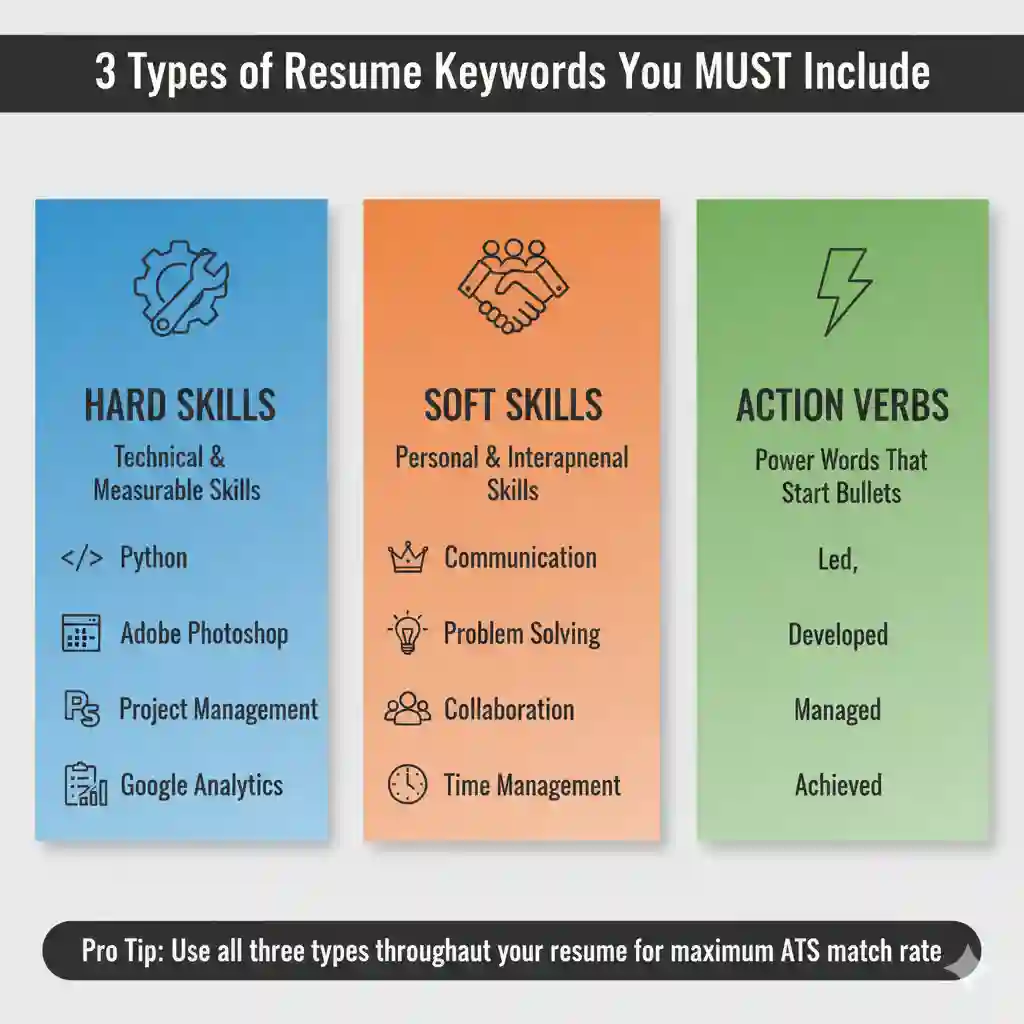
Hard Skills Keywords
Technical, teachable skills specific to the job:
- Marketing: SEO, Google Ads, HubSpot, Content Marketing, Email Marketing, Social Media Management
- Tech: Python, JavaScript, React, AWS, SQL, Git, Docker, REST APIs
- Finance: Financial Modeling, Excel, SAP, Budgeting, Financial Analysis, QuickBooks
- Design: Adobe Creative Suite, Figma, UI/UX Design, Photoshop, Illustrator, InDesign
Soft Skills Keywords
Don’t just list these—demonstrate them in your work experience:
- Leadership
- Communication
- Problem-solving
- Time management
- Collaboration
- Critical thinking
Action Verb Keywords
Start your bullet points with these strong action verbs:
- Led, Managed, Directed, Supervised, Coordinated
- Developed, Created, Designed, Built, Established
- Increased, Improved, Enhanced, Optimized, Streamlined
- Analyzed, Evaluated, Assessed, Researched, Investigated
- Achieved, Delivered, Executed, Implemented, Launched
Resume Keywords Mistakes That Kill Your Chances
1. Keyword Stuffing
Don’t just list keywords with no context. ATS can detect this, and if a human sees it, your resume goes straight to trash.
Bad example:
“Skills: Leadership leadership team leader leading teams management manager project management managing projects…”
2. Using Abbreviations Without Full Terms
Some ATS search for “Search Engine Optimization” while others search for “SEO.” Include both the first time you mention it: “Search Engine Optimization (SEO)”
3. Wrong Keyword Variations
If the job says “project management,” don’t just say “managed projects.” Use the exact phrase. Small differences matter to ATS.
4. Lying About Skills
Don’t add keywords for skills you don’t have. You’ll get caught in the interview. Only include resume keywords for experience you actually possess.
5. Ignoring Industry-Specific Terms
Every industry has its own language. In tech, it’s “Agile and Scrum.” In marketing, it’s “ROI and conversion rates.” Use the terminology your industry uses.
How to Test Your Resume for ATS
Before you apply, test your resume:
- Use Jobscan or similar tools – Upload your resume and the job description to see your match rate
- Copy-paste test – Copy your resume into a plain text document. If it looks readable, ATS can read it
- Keyword checklist – Manually check that you’ve included the top 10-15 keywords from the job posting
- Format check – Avoid tables, text boxes, headers/footers, and images—ATS often can’t read these
Real Example: Before and After Resume Keywords
BEFORE (No Keywords – ATS Score: 35%):
Marketing Professional Experienced marketer looking for new opportunities. Worked on various campaigns and helped grow company presence online. Good with social media and creating content. Work Experience: • Helped with marketing projects • Posted on social media • Created various marketing materials
AFTER (With Keywords – ATS Score: 85%):
Digital Marketing Manager Digital Marketing Manager with 5+ years experience in SEO, content marketing, and social media management. Expert in Google Analytics, HubSpot, and email marketing campaigns. Proven track record increasing organic traffic and conversion rates. Core Skills: SEO | Content Marketing | Google Analytics | HubSpot | Social Media Marketing | Email Marketing | Marketing Automation | Copywriting Work Experience: Digital Marketing Manager | TechCorp | 2020-Present • Managed SEO strategy that increased organic traffic by 200% using Google Analytics and SEMrush • Led social media campaigns across Facebook, LinkedIn, and Instagram, growing followers by 150% • Developed email marketing campaigns in HubSpot achieving 35% open rates and 8% CTR • Implemented marketing automation workflows that increased lead conversion by 40%
See the difference? The second version uses specific resume keywords: job title, tools, metrics, and industry terms. That’s what gets you past ATS.
Resume Keywords Checklist
Before you submit your resume, verify:
- ✓ Job title from posting appears in your resume
- ✓ Top 10-15 required skills are included
- ✓ You’ve used exact phrases from job description
- ✓ Technical tools/software are listed
- ✓ Required certifications are clearly stated
- ✓ Action verbs from posting start your bullet points
- ✓ Acronyms spelled out first time: “Search Engine Optimization (SEO)”
- ✓ Keywords appear in multiple sections (summary, skills, experience)
- ✓ Resume is formatted for ATS (no tables, text boxes, or fancy graphics)
The Bottom Line on Resume Keywords
Resume keywords aren’t about gaming the system. They’re about speaking the same language as the job description so ATS recognizes you’re qualified.
The process is simple:
- Read the job description carefully
- Identify the key skills, tools, and qualifications they want
- Add those exact resume keywords to your resume (if you have that experience)
- Test your resume with ATS checker tools
Do this for every job you apply to. Yes, it takes time. But it’s the difference between getting zero responses and landing interviews.
Your experience and qualifications matter. But if ATS never lets a human see your resume, none of that matters. Use the right resume keywords, beat the bots, and get your resume in front of actual people who can hire you.
Need More Resume Help?
Check out our complete resume writing guide and resume format tips to build a resume that gets past ATS and impresses hiring managers.
Discover more from eduhire.blog
Subscribe to get the latest posts sent to your email.